앞 편에서 요청 하나를 번호 하나로 따라가게 만들었다. 그런데 그 표들은 전부
집계기의 표준 출력을 긁어 와 파이썬으로 세어서 만들었다. 게다가 그 앞 편에서는
집계기가 바뀌자 모아 둔 581건이 한꺼번에 사라졌다.
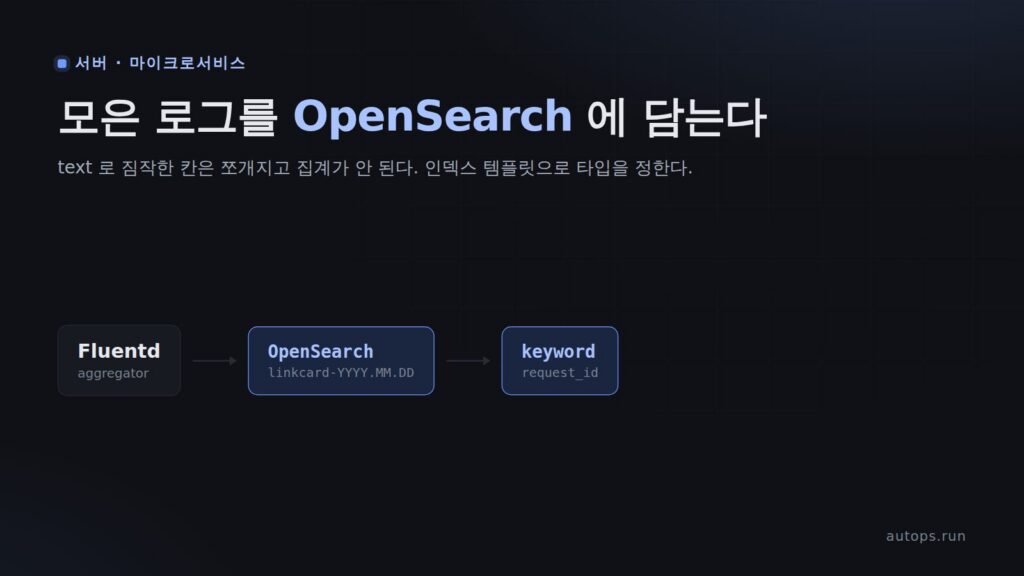
이번 편은 모은 로그를 보관하고 검색하는 곳을 만든다. OpenSearch 다.
무엇을 만드는가#
forwarder(노드마다) ─▶ aggregator ─▶ OpenSearch
                                   linkcard-2026.09.14   ← 날짜마다 인덱스 하나
linkcard-2026.09.15| 전 (표준 출력) | 후 (OpenSearch) | |
|---|---|---|
| 집계기 파드를 지우면 | 581건 사라짐 | 249건 → 254건 (잃은 것 없음) |
| 요청 번호로 찾기 | 스크립트로 글자 뒤지기 | 검색 한 번, 15건 정확히 |
| 사건별로 세기 | 스크립트 | 집계 쿼리 한 번 |
| 느린 요청 찾기 | 불가 | request_time 으로 정렬·평균 |
그리고 이 과정에서 겪은 것 셋을 다룬다.
- 타입을 정하지 않고 넣으면 요청 번호 검색에 다른 요청이 섞여 나온다.
- 사건별로 세려고 하면
Text fields are not optimised ...오류가 난다. - 노드가 하나인데 인덱스가 yellow 다.
준비물#
- 지금까지 따라온 kind 클러스터, ArgoCD, gitops 저장소, Fluentd forwarder · aggregator
- Docker 에 줄 메모리 여유 1GB 이상 (OpenSearch 가 쓴다)
- 걸리는 시간: 이미지 받기 3~4분, 나머지 30분
참고
OpenSearch 는 Elasticsearch 에서 갈라져 나온 오픈소스 검색 엔진이다. 문서(JSON)를 넣으면 칸마다
색인을 만들어 두고, 찾기·세기·정렬을 빠르게 해 준다. 로그 수집에서는 "Fluentd 가 모으고, OpenSearch 가
보관·검색하고, 대시보드가 보여 준다" 로 짝을 이룬다. 대시보드는 다음 편이다.
1. 이미지를 노드에 미리 받아 둔다#
OpenSearch 이미지는 크다(약 860MB). 파드가 뜰 때 받게 두면 그동안 파드가 한참 ContainerCreating 에 머문다.
앞 편들처럼 kind load 로 넣으려 했더니 실패했다.
docker pull opensearchproject/opensearch:3.8.0
kind load docker-image opensearchproject/opensearch:3.8.0 --name lab
ERROR: failed to load image: command "docker exec --privileged -i lab-control-plane ctr --namespace=k8s.io images import --all-platforms --digests --snapshotter=overlayfs -" failed with error: exit status 1
Command Output: ctr: content digest sha256:39a8f8c63028e8b5d6b70539af1d0339b15a6729002dd5b3f4a65f520376fd30: not found이 이미지는 여러 CPU 종류(amd64, arm64)를 한 이름에 묶은 멀티 플랫폼 이미지다. 내 맥에는 arm64 것만
내려와 있다. 오류의 명령을 보면 kind load 는 --all-platforms 로 가져오려 하는데, 받지 않은 플랫폼의 층을
찾다가 not found 로 멈춘 것으로 보인다.
이 이미지는 Docker Hub 에 공개돼 있으니 노드가 직접 받게 하면 된다. kind 노드도 컨테이너라
docker exec 로 들어가 받는다. OpenSearch 가 뜰 수 있는 워커 노드 둘에 받는다.
for n in lab-worker lab-worker2; do
  docker exec $n crictl pull docker.io/opensearchproject/opensearch:3.8.0 &
done; wait
lab-worker pull OK 187초
lab-worker2 pull OK 199초팁
kind load는 내가 직접 빌드해서 레지스트리에 없는 이미지(linkcard-web 같은)에 쓴다. 공개 이미지는
노드가 받게 두는 편이 낫다. 미리 받아 두는 건 첫 기동을 빠르게 하려는 것일 뿐, 안 해도 파드가 뜨면서 받는다.
2. OpenSearch 를 StatefulSet 으로 띄운다#
로그는 디스크에 남아야 한다. 파드가 바뀌어도 같은 디스크를 다시 물어야 하니
StatefulSet + PVC다. apps/logging/k8s/40-opensearch.yaml 을 만든다.
apiVersion: v1
kind: Service
metadata:
  name: opensearch
  namespace: logging
spec:
  clusterIP: None            # 헤드리스 — 파드에 고정 이름을 달아 준다
  selector: { app: opensearch }
  ports:
    - { name: http, port: 9200 }
---
apiVersion: apps/v1
kind: StatefulSet
metadata:
  name: opensearch
  namespace: logging
spec:
  serviceName: opensearch
  replicas: 1
  selector:
    matchLabels: { app: opensearch }
  template:
    metadata:
      labels: { app: opensearch }
    spec:
      containers:
        - name: opensearch
          image: opensearchproject/opensearch:3.8.0
          ports:
            - { name: http, containerPort: 9200 }
          env:
            - { name: discovery.type, value: single-node }
            - { name: DISABLE_SECURITY_PLUGIN, value: "true" }
            - { name: DISABLE_INSTALL_DEMO_CONFIG, value: "true" }
            - { name: OPENSEARCH_JAVA_OPTS, value: "-Xms512m -Xmx512m" }
          volumeMounts:
            - name: data
              mountPath: /usr/share/opensearch/data
          readinessProbe:
            httpGet: { path: "/_cluster/health?local=true", port: 9200 }
            initialDelaySeconds: 20
            periodSeconds: 10
            timeoutSeconds: 5
          resources:
            requests: { cpu: 200m, memory: 1Gi }
            limits:   { memory: 1Gi }
  volumeClaimTemplates:
    - metadata: { name: data }
      spec:
        accessModes: [ReadWriteOnce]
        resources:
          requests:
            storage: 5Gi
환경 변수 넷이 이 실습의 요점이다.
| 변수 | 뜻 |
|---|---|
discovery.type=single-node |
혼자서 클러스터를 이룬다. 다른 노드를 찾아다니지 않는다. |
DISABLE_SECURITY_PLUGIN=true |
인증·암호화를 끈다. 누구나 읽고 쓴다. |
DISABLE_INSTALL_DEMO_CONFIG=true |
데모 인증서·관리자 계정을 깔지 않는다. 보안 플러그인을 껐으니 쓸 일이 없다. |
OPENSEARCH_JAVA_OPTS |
자바 힙 크기. 기본 1GB 는 이 실습에 크다. |
주의
보안 플러그인을 끈 OpenSearch 는 주소만 알면 누구나 지울 수 있다. 그래서 Ingress 로 밖에 열지 않는다.
클러스터 안의 집계기만 쓰고, 사람은kubectl exec로 들어가 본다. 실제 운영이라면 보안 플러그인을 켜고
계정을 Secret 으로 넣는다.
참고
힙을 512MB 로 두고 한도를 1GB 로 둔 이유: OpenSearch 는 힙 말고도 파일 캐시로 메모리를 많이 쓴다.
흔히 힙을 컨테이너 메모리의 절반쯤으로 둔다.
kustomization.yaml 의 resources 에 40-opensearch.yaml 을 넣고 커밋·푸시한다. 집계기 출력은 아직
바꾸지 않는다. 먼저 OpenSearch 가 혼자 건강하게 뜨는지 본다.
git add apps/logging/k8s/40-opensearch.yaml apps/logging/k8s/kustomization.yaml
git commit -m "OpenSearch 를 띄운다 — 로그를 디스크에 보관할 곳"
git push origin main
ArgoCD 가 맞추는 과정이다.
  +0초  logging=a78e036/Healthy  opensearch-0=없음
  +6초  logging=5c4dae7/Progressing  opensearch-0=Pending//
  +11초  logging=5c4dae7/Progressing  opensearch-0=Running/false/0
  +31초  logging=5c4dae7/Healthy  opensearch-0=Running/true/0
31초 만에 Ready 가 됐고 재시작은 0번이다. 안에 들어가 확인한다.
kubectl exec -n logging opensearch-0 -- curl -s "http://localhost:9200/_cluster/health?pretty" "status" : "green",
"number_of_nodes" : 1,
"active_shards" : 2,
"unassigned_shards" : 0,kubectl exec -n logging opensearch-0 -- curl -s
"http://localhost:9200/_cat/nodes?v&h=name,heap.current,heap.max,ram.current,ram.max"name heap.current heap.max ram.current ram.max
opensearch-0 326.1mb 512mb 1011.4mb 1gb로그 한 줄 안 넣었는데 컨테이너 메모리가 한도 1GB 에 거의 붙어 있다. 노드에서 잰 값도 994.1MB 였다.
참고
기동 로그에
ERROR ... performance-analyzer.properties failed가 찍힌다. 성능 분석 플러그인의 설정 파일을
못 읽었다는 뜻이고, 검색·저장과는 상관없다. 이 글의 실습 내내 재시작 없이 돌았다.
3. 집계기 출력을 OpenSearch 로 바꾼다#
apps/logging/k8s/config/aggregator.conf 의 <match> 를 표준 출력에서 OpenSearch 로 바꾼다.
이미지(fluentd-kubernetes-daemonset:v1.19-debian-opensearch-1)에 fluent-plugin-opensearch 1.1.6 이 들어 있다.
<match {kube,ingress}.**>
  @type opensearch
  @id out_opensearch
  host opensearch.logging.svc.cluster.local
  port 9200
  scheme http

  logstash_format true
  logstash_prefix linkcard

  suppress_type_name true
  log_os_400_reason true
  reload_connections false
  reconnect_on_error true
  request_timeout 15s

  <buffer>
    @type file
    path /fluentd/buffer/opensearch
    flush_interval 5s
    chunk_limit_size 8MB
    retry_forever true
    retry_max_interval 30
  </buffer>
</match>| 설정 | 뜻 |
|---|---|
logstash_format true |
날짜마다 인덱스를 나눈다 (linkcard-2026.09.14). 오래된 날은 인덱스째 지우면 된다. 문서마다 @timestamp 가 붙는다. |
log_os_400_reason true |
문서가 거절되면 이유를 로그에 남긴다. 기본은 조용히 버린다. |
reload_connections false |
OpenSearch 파드 IP 를 직접 찾아다니지 않고 서비스 이름으로만 붙는다. |
<buffer> @type file |
OpenSearch 가 잠깐 멈춰도 파일에 모았다가 나중에 보낸다. |
버퍼 경로는 집계기 파드에 emptyDir 로 붙인다(20-aggregator.yaml).
          volumeMounts:
            - { name: config, mountPath: /fluentd/etc/custom }
            - { name: buffer, mountPath: /fluentd/buffer }
      volumes:
        - name: config
          configMap: { name: fluentd-aggregator-config }
        - name: buffer
emptyDir: {}참고
emptyDir는 파드가 바뀌면 사라진다. 그래도 괜찮은 이유는 앞 편에서 둔
forwarder 쪽 버퍼가 노드 디스크에 있어서다. 집계기가 못 받은 것은 forwarder 가 들고 있다가 다시 보낸다.
커밋·푸시하면 ConfigMap 해시가 바뀌어 집계기가 새 설정으로 다시 뜬다. 요청 넷을 넣었다. 둘은 503(재시도 끝에
DLQ), 하나는 성공, 하나는 404 다.
  trace-8th-0001  job=6a17ebac0ae1
  trace-8th-0002  job=f7bcb3e52e94
  ok-8th-0001     job=5aeda14d0824
  nf-8th-0001     job=ffd9c509bc6d
kubectl exec -n logging opensearch-0 -- curl -s "http://localhost:9200/_cat/indices/linkcard-*?v&h=index,health,docs.count,store.size"index health docs.count store.size
linkcard-2026.09.14 yellow 247 216.7kb들어갔다. 그런데 yellow 다. 그리고 여기서부터 이상한 일이 셋 생긴다.
4. 타입을 정하지 않으면 생기는 일#
① 요청 번호로 찾았는데 다른 요청이 섞인다#
trace-8th-0001 로 찾았다.
kubectl exec -n logging opensearch-0 -- curl -s -H 'Content-Type: application/json'
  "http://localhost:9200/linkcard-*/_search?size=100"
  -d '{"query":{"match":{"request_id":"trace-8th-0001"}},"_source":["request_id"]}'
돌아온 문서를 request_id 별로 셌다.
  hits 44
   trace-8th-0001: 15
   trace-8th-0002: 15
   ok-8th-0001: 7
   nf-8th-0001: 7
44건 중 29건이 다른 요청이다. 번호가 전혀 다른 ok-8th-0001 까지 나왔다.
OpenSearch 가 이 칸을 어떻게 저장했는지 보면 이유가 나온다.
kubectl exec -n logging opensearch-0 -- curl -s -H 'Content-Type: application/json'
  "http://localhost:9200/linkcard-2026.09.14/_analyze"
  -d '{"field":"request_id","text":"trace-8th-0001"}'
['trace', '8th', '0001']타입을 정해 주지 않으면 OpenSearch 는 첫 문서를 보고 짐작한다(dynamic mapping). 글자는 text 로
잡는데, text 는 문장 검색용이라 낱말로 쪼개서 색인한다. trace-8th-0001 은 trace, 8th, 0001
세 낱말이 되고, match 는 그중 하나만 맞아도 찾아 준다. 8th 는 이번에 넣은 요청 넷 모두에 들어 있다.
짐작한 타입은 이랬다.
  event          text +keyword
  job_id         text +keyword
  path           text +keyword
  request_id     text +keyword
  request_time   text +keyword
  upstream_time  text +keyword
  status         long
  ms             long
  attempt        long
  total_wait     float
  @timestamp     date
+keyword 는 쪼개지 않은 사본(request_id.keyword)을 하나 더 만들어 뒀다는 뜻이다. 그걸로 찾으면 맞는다.
... -d '{"query":{"term":{"request_id.keyword":"trace-8th-0001"}}}'{"count":15, ...}하지만 칸마다 .keyword 를 붙여야 한다는 걸 기억해야 하고, 잊으면 조용히 틀린 답이 나온다.
② 사건별로 세려니 거절된다#
event 칸으로 사건별 개수를 세려 했다.
... "http://localhost:9200/linkcard-*/_search?size=0"
  -d '{"aggs":{"by_event":{"terms":{"field":"event"}}}}'
{"error":{"root_cause":[{"type":"illegal_argument_exception","reason":"Text fields are not optimised for operations that require per-document field data like aggregations and sorting, so these operations are disabled by default. Please use a keyword field instead. Alternatively, set fielddata=true on [event] in order to load field data by uninverting the inverted index. Note that this can use significant memory."}], ...text 칸은 세기(집계)와 정렬을 못 한다. 오류 문구대로 fielddata=true 로 켤 수는 있지만 메모리를 많이 쓴다.
이미 한도에 붙어 있는 이 OpenSearch 에서 고를 방법이 아니다.
③ 응답 시간이 글자라 평균을 못 낸다#
ingress 로그를 정규식으로 쪼갤 때 모든 칸은 글자로 나온다. 실제 문서를 보면 이렇다.
  ingress {'request_time': '0.023', 'upstream_time': '0.021', 'status': '202'}
  web     {'ms': 13, 'status': 202}
request_time 이 "0.023" 글자라 text 로 잡혔고, 평균을 내면 ②와 같은 오류가 난다.
Text fields are not optimised for operations that require per-document field data like aggregations and sorting, ... set fielddata=true on [request_time] ...status 는 운이 좋았다. web 문서의 숫자 202 가 먼저 들어가 long 으로 잡혔다. ingress 문서가 먼저 왔다면
text 가 됐을 것이다. 어떤 문서가 먼저 오느냐에 따라 타입이 달라진다 — 날마다 새 인덱스가 생기니 날마다
다를 수 있다.
④ 노드 하나인데 yellow#
kubectl exec -n logging opensearch-0 -- curl -s "http://localhost:9200/_cat/shards/linkcard-*?v"index shard prirep state docs store ip node
linkcard-2026.09.14 0 p STARTED 247 216.7kb 10.244.120.161 opensearch-0
linkcard-2026.09.14 0 r UNASSIGNEDp 는 원본, r 은 복제본이다. 새 인덱스는 기본으로 복제본을 하나 두는데, 복제본은 원본과 다른 노드에만
둘 수 있다. 노드가 하나라 둘 곳이 없다. OpenSearch 에 이유를 물으면 그대로 답한다.
same_shard : a copy of this shard is already allocated to this node데이터는 멀쩡하다. 다만 "복제본이 없다" 는 경고색이 계속 켜져 있으면, 진짜 문제가 생겼을 때 알아채지 못한다.
5. 인덱스 템플릿으로 타입을 정한다#
인덱스 템플릿은 "이름이 이런 인덱스를 만들 때는 이 설정을 써라" 는 규칙이다. linkcard-* 인덱스에 적용한다.
apps/logging/k8s/config/index-template.json 을 만든다.
{
  "index_patterns": ["linkcard-*"],
  "priority": 100,
  "template": {
    "settings": {
      "number_of_shards": 1,
      "number_of_replicas": 0,
      "index.mapping.ignore_malformed": true
    },
    "mappings": {
      "dynamic_templates": [
        {
          "strings_as_keyword": {
            "match_mapping_type": "string",
            "mapping": { "type": "keyword", "ignore_above": 1024 }
          }
        }
      ],
      "properties": {
        "@timestamp":     { "type": "date" },
        "message":        { "type": "text" },
        "error":          { "type": "text", "fields": { "keyword": { "type": "keyword", "ignore_above": 256 } } },
        "status":         { "type": "integer" },
        "ms":             { "type": "float" },
        "request_time":   { "type": "float" },
        "upstream_time":  { "type": "float" },
        "bytes":          { "type": "long" },
        "request_length": { "type": "long" },
        "attempt":        { "type": "integer" },
        "max_attempts":   { "type": "integer" },
        "delay":          { "type": "integer" },
        "elapsed":        { "type": "float" },
        "total_wait":     { "type": "float" },
        "accept_ms":      { "type": "float" }
      }
    }
  }
}
(실제 파일에는 설명용 _meta 칸이 하나 더 있다.)
strings_as_keyword— 따로 정하지 않은 글자 칸은 전부keyword(쪼개지 않음)로. 로그의 글자 칸은 대부분request_id,event,pod처럼 정확히 맞춰 찾고 세는 값이다.message,error— 이 둘만 문장이라text로 둔다. 낱말로 찾는 게 맞다.- 숫자 칸 — 글자로 와도(
"0.023") 숫자로 바꿔 저장한다. number_of_replicas: 0— 노드가 하나다.ignore_malformed— ingress 는 뒤쪽에 닿지 못한 요청이면upstream_time에-를 찍는다. 숫자 칸에-가 오면 원래는 문서째 거절된다. 이 설정이면 그 칸만 빼고 문서는 들어간다.
이건 시험 인덱스를 따로 만들어 확인했다. float 칸에 - 를 넣으면 이렇다.
... -X POST "http://localhost:9200/malformed-test-a/_doc?refresh=true"
  -d '{"event":"http.ingress","upstream_time":"-"}'
{"error":{"root_cause":[{"type":"mapper_parsing_exception","reason":"failed to parse field [upstream_time] of type [float] in document with id 'c5ZhoqAB-63GmeTL9nUP'. Preview of field's value: '-'"}], ...
{"count":0, ...}문서가 통째로 안 들어갔다. 같은 문서를 템플릿이 적용되는 이름(linkcard-malformed-test)에 넣으면 들어가고,
그 칸만 빠졌다고 표시된다.
{"_index":"linkcard-malformed-test", ... "result":"created", ...}
  _ignored: ['upstream_time'] fields: {'request_time': [0.001]}
확인한 시험 인덱스 둘은 지웠다.
템플릿을 누가 넣을지도 정해야 한다. curl 로 직접 넣으면 gitops 저장소에 흔적이 안 남는다. Fluentd 플러그인이
넣게 하면 저장소의 파일이 곧 템플릿이 된다. aggregator.conf 에 넷을 더한다.
  template_name linkcard
  template_file /fluentd/etc/custom/index-template.json
  template_overwrite true
  use_legacy_template false
template_overwrite true— 저장소의 템플릿을 고치면 덮어쓴다.false면 한 번 들어간 게 그대로 남는다.use_legacy_template false— 옛 방식(_template) 대신 지금 방식(_index_template)으로 넣는다.
템플릿 파일은 집계기 설정과 같은 ConfigMap 에 넣는다. 같은 폴더(/fluentd/etc/custom)에 파일로 붙는다.
configMapGenerator:
  - name: fluentd-aggregator-config
    files:
      - fluent.conf=config/aggregator.conf
      - index-template.json=config/index-template.json
커밋·푸시하고 동기화가 끝난 뒤 템플릿을 확인했다.
kubectl exec -n logging opensearch-0 -- curl -s "http://localhost:9200/_index_template/linkcard"돌아온 응답에 linkcard 템플릿이 없었다. 플러그인 코드를 보면 logstash_format 을 쓸 때는 기동할 때가 아니라 새 인덱스에 처음 쓸 때
템플릿을 넣는다. 날짜마다 인덱스 이름이 바뀌니 그때그때 넣는 것이다. 요청을 하나 넣자 들어왔다.
linkcard ['linkcard-*'] replicas 0이미 있는 인덱스는 안 바뀐다#
템플릿이 들어갔는데도 기존 인덱스를 보면 그대로다.
index               health docs.count
linkcard-2026.09.14 yellow        252
linkcard-2026.09.14 request_id text주의
템플릿은 인덱스를 만드는 순간에만 적용된다. 이미 만들어진 인덱스의 칸 타입은 바꿀 수 없다.
오늘 날짜 인덱스가 이미 있으니, 템플릿을 넣은 뒤 들어온 문서도 옛 타입으로 쌓인다.
운영이라면 새 인덱스로_reindex해서 옮기거나 다음 날 인덱스부터 적용되길 기다린다.
이건 실습 데이터라 인덱스를 지우고 새로 받는다.
kubectl exec -n logging opensearch-0 -- curl -s -X DELETE "http://localhost:9200/linkcard-2026.09.14"{"acknowledged":true}6. 확인 — 같은 질문을 다시 한다#
같은 모양의 요청 넷(503 둘, 성공 하나, 404 하나)을 다시 넣고 같은 것을 물었다.
인덱스는 green, 복제본은 0 이다.
index               health pri rep docs.count store.size
linkcard-2026.09.14 green    1   0        249    168.1kb
칸 타입이 템플릿대로다.
  attempt        integer
  error          text
  event          keyword
  message        text
  ms             float
  path           keyword
  request_id     keyword
  request_time   float
  status         integer
  upstream_time  float
요청 번호로 찾기 — 섞이지 않는다#
아까와 똑같은 match 쿼리다. .keyword 를 붙이지 않았다.
... -d '{"query":{"match":{"request_id":"trace-8th-0101"}},"_source":["request_id"]}' hits 15 {'trace-8th-0101': 15}시간순으로 정렬도 OpenSearch 에 맡긴다.
... "http://localhost:9200/linkcard-*/_search?size=50"
  -d '{"query":{"term":{"request_id":"trace-8th-0101"}},"sort":[{"@timestamp":"asc"}],"_source":["@timestamp","container","event","attempt","status","path"]}'
23:58:58.401 worker job.start 1
23:58:58.402 web job.queued
23:58:58.402 web http.access 202 /api/cards
23:58:58.403 controller http.ingress 202 /linkcard/api/cards
23:58:58.949 web result.retrying 1
23:58:58.950 web http.access 200 /internal/result
23:58:58.950 worker job.retry_scheduled 1
23:59:03.945 worker job.start 2
23:59:04.349 web result.retrying 2
23:59:04.350 web http.access 200 /internal/result
23:59:04.350 worker job.retry_scheduled 2
23:59:19.354 worker job.start 3
23:59:19.750 web result.failed 3
23:59:19.751 web http.access 200 /internal/result
23:59:19.751 worker job.dead_lettered 3앞 편에서 집계기 출력을 긁고 파이썬으로 걸러 정렬해 만든 표가, 쿼리 한 번으로 나온다.
사건별로 세기 — 거절되지 않는다#
아까 거절된 똑같은 집계다. event 칸 그대로 쓴다.
... -d '{"aggs":{"by_event":{"terms":{"field":"event","size":20}}}}' 전체 249
http.access 104
http.ingress 96
job.start 8
job.queued 4
job.retry_scheduled 4
result.retrying 4
result.failed 3
job.dead_lettered 2
job.done 1
job.failed 1
result.done 1느린 요청 찾기 — 숫자로 정렬·평균#
... -d '{"query":{"term":{"event":"http.ingress"}},"sort":[{"request_time":"desc"}],
        "_source":["method","path","status","request_time"],
        "aggs":{"avg":{"avg":{"field":"request_time"}},"max":{"max":{"field":"request_time"}}}}'
건수 96 평균 0.0029s 최대 0.02500000037252903s
{'path': '/linkcard/api/cards/33bfda19c327', 'request_time': '0.025', 'method': 'GET', 'status': '200'}
{'path': '/linkcard/api/cards', 'request_time': '0.018', 'method': 'POST', 'status': '202'}
{'path': '/linkcard/api/cards/e0f496d252f8', 'request_time': '0.011', 'method': 'GET', 'status': '200'}참고
결과의
request_time이 여전히'0.025'글자로 보인다._source는 넣은 문서 원본 그대로
돌려주기 때문이다. 타입은 원본을 바꾸지 않고, 색인(찾고 세고 정렬하는 쪽) 에만 적용된다. 그래서 정렬과
평균은 숫자로 됐다. 최대값 끝의...37252903은float(32비트)로 저장하면서 생긴 자투리다.
7. 지워도 남는가#
앞 편의 581건을 떠올리며 두 가지를 지워 봤다.
집계기 파드를 지운다#
kubectl delete pod -n logging -l app=fluentd-aggregator 전: 249 건
후: 254 건줄지 않았다. 늘어난 5건은 그 사이 새로 들어온 로그다. 로그는 집계기가 아니라 OpenSearch 의 디스크에 있다.
OpenSearch 파드를 지우고, 내려가 있는 동안 요청을 넣는다#
kubectl delete pod -n logging opensearch-0
# 내려간 걸 확인하고
curl -s -X POST http://localhost/linkcard/api/cards
  -H 'Content-Type: application/json' -H 'X-Request-ID: down-8th-0001'
  -d '{"url":"https://example.com/"}'
전: 254 건
+4초 opensearch 내려감 → 요청 넣기
{"accept_elapsed":0.021,"job_id":"2fd42f84fcce","ok":true,"request_id":"down-8th-0001","status":"queued"}
+25초 opensearch Ready
+28초 down-8th-0001 줄 도착: 6 건
후: 265 건 (전 254)그동안 집계기는 이렇게 버텼다.
[warn]: #0 [out_opensearch] Could not communicate to OpenSearch, resetting connection and trying again. no address for opensearch.logging.svc.cluster.local (Resolv::ResolvError)
[warn]: #0 [out_opensearch] Remaining retry: 9. Retry to communicate after 2 second(s).
[warn]: #0 [out_opensearch] Could not communicate to OpenSearch, resetting connection and trying again. no address for opensearch.logging.svc.cluster.local (Resolv::ResolvError)
[warn]: #0 [out_opensearch] Remaining retry: 8. Retry to communicate after 4 second(s).
no address 인 이유: 헤드리스 서비스의 DNS 이름은 Ready 인 파드가 있을 때만 주소를 돌려준다. 파드가
내려가 있으니 이름 자체가 없어졌다. 집계기는 2초, 4초, 8초로 간격을 늘려 가며 다시 시도했고,
OpenSearch 가 Ready 가 된 뒤 3초 간격으로 확인하자 첫 확인에서 밀려 있던 줄이 들어와 있었다.
OpenSearch 가 내려가 있던 동안 생긴 로그도 빠짐없이 들어왔다.
   00:00:23.339  web        job.queued
   00:00:23.339  worker     job.start
   00:00:23.340  web        http.access    202 /api/cards
   00:00:23.340  controller http.ingress   202 /linkcard/api/cards
   00:00:23.919  web        result.done
   00:00:23.920  web        http.access    200 /internal/result
   00:00:23.920  worker     job.done
새 파드는 같은 PVC 를 다시 물었다. 인덱스를 보면 하나가 늘어 있다.
index               health docs.count store.size
linkcard-2026.09.15 green          16     53.3kb
linkcard-2026.09.14 green 249 168.8kb참고
이 실험을 한 게 한국 시각 오전 9시, UTC 자정이었다. 인덱스 이름의 날짜는 UTC 기준이라
(utc_index기본값true) 그 순간linkcard-2026.09.15가 새로 생겼다. 한국 시각으로는 날짜가 아침 9시에
바뀌는 셈이다. 헷갈려도 UTC 로 두는 편이 낫다 — 서버가 어느 나라에 있든 같은 규칙이 된다.
새 인덱스도 템플릿대로 green 으로 만들어졌다.
비용#
| 항목 | 값 |
|---|---|
| OpenSearch 컨테이너 메모리 | 962.7 MB ~ 1.029 GB (한도 1GB) |
| 자바 힙 | 144.5 ~ 326.1 MB / 512 MB |
| 디스크 (PVC 디렉터리) | 1.6 MB — 문서 265건 |
| 이미지 | 약 860 MB (워커 노드마다) |
로그 수집 전체(forwarder 셋 + aggregator + OpenSearch)가 linkcard 앱 전체보다 훨씬 크다. 이 글의 실습
동안 OpenSearch 재시작은 0번이었지만 메모리는 한도에 붙어 있었다. 로그가 늘면 한도부터 올린다.
정리#
kind load는 멀티 플랫폼 공개 이미지에서content digest ... not found로 실패할 수 있다. 공개 이미지는 노드에서crictl pull로 받게 한다.- 타입을 정하지 않으면 OpenSearch 가 짐작한다. 글자는
text가 되어trace-8th-0001이trace·8th·0001로 쪼개졌고, 44건 중 29건이 다른 요청이었다. text칸은 집계·정렬을 못 한다 (Text fields are not optimised ...). 로그의 글자 칸은 대부분keyword가 맞다. 문장인message,error만text로 둔다.- 인덱스 템플릿은 새 인덱스에만 적용된다. 이미 있는 인덱스는 지우거나
_reindex해야 한다. 템플릿 파일을 Fluentd 가 넣게 하면 gitops 저장소에 남는다. - 노드가 하나면
number_of_replicas: 0. 아니면 인덱스가 계속 yellow 다. - 보관소가 생기니 지워도 남는다. 집계기를 지워도 줄지 않았고, OpenSearch 파드를 지우고 다시 Ready 가 되기까지 25초 동안 생긴 로그도 버퍼에 있다가 들어갔다.
다음 편은 이 로그를 눈으로 본다. OpenSearch Dashboards 를 붙여 쿼리를 치지 않고 화면에서 요청을 따라가고,
어디가 느린지 찾는다.

댓글